
Home
Solutions
Products
Services
About
Careers
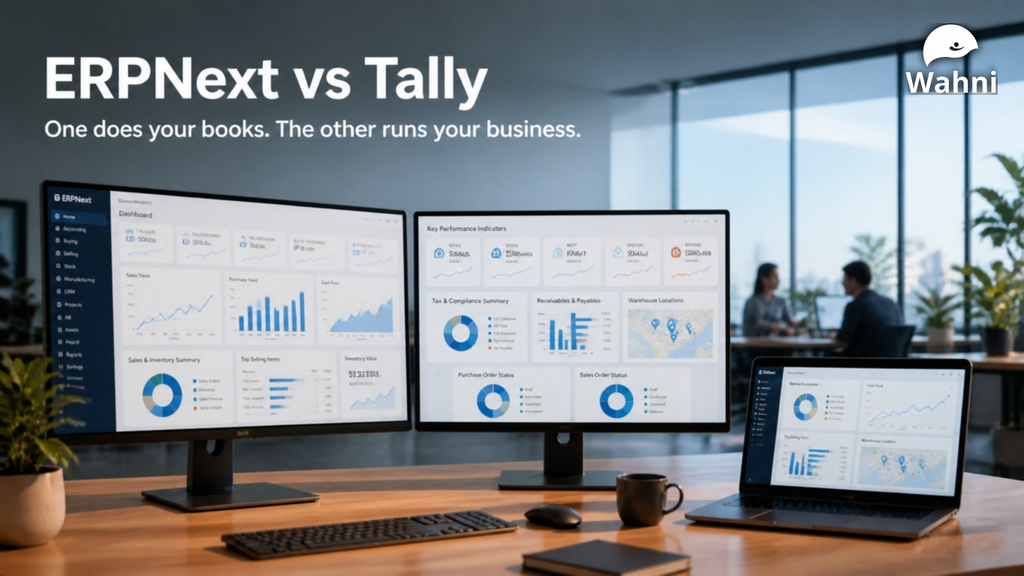

Compare ERPNext and TallyPrime across accounting, inventory, manufacturing, GST and dashboards to understand which software fits your business needs.
Choosing business software involves more than comparing accounting features. You also need to consider how your teams manage purchases, inventory, sales, production, and reporting.
Businesses comparing ERPNext vs Tally often start with a familiar question: should we continue with our existing system, or move to an integrated ERP?
The answer depends on your processes, the information your teams need, and how much coordination the system must support.
This article compares TallyPrime and ERPNext across these practical requirements.
Understanding the Difference Between ERPNext and Tally
TallyPrime supports accounting, invoicing, inventory, taxation, payroll, and business reporting. Its capabilities also include batch management, multiple storage locations, job work, and manufacturing transactions.
ERPNext brings accounting together with procurement, sales, CRM, inventory, manufacturing, projects, quality, and asset management. It allows different departments to work with connected business records.
The useful comparison is how well each system supports your actual workflow—from the first request or order through fulfilment, invoicing, and payment.
ERPNext vs Tally: A Practical Comparison
| Business requirement | TallyPrime | ERPNext |
| Accounting and financial reporting | Accounting, invoicing, receivables, payables, and financial reports | Accounting and financial reports connected with operational modules |
| Inventory | Stock items, godowns, batches, expiry dates, and stock transactions | Warehouses, batches, serial numbers, stock reservations, and inventory transactions |
| Manufacturing | BOMs, manufacturing journals, material consumption, and cost estimation | BOMs, production planning, work orders, job cards, and manufacturing costing |
| Sales and procurement | Sales and purchase transactions, including order processing | Connected quotation, order, receipt, delivery, invoice, and payment documents |
| Approvals | Required controls should be evaluated against the selected configuration and extensions | Configurable workflows with multiple approval levels |
| HR and payroll | Payroll and related statutory features | HR and payroll module completely |
| Dashboards and reporting | Business reports and management views, depending on the setup | Configurable workspaces, dashboards, charts, number cards, and reports |
| Integrations | Integration options available, with scope depending on the required connection | Integration and customisation options through the Frappe platform |
Feature availability and behaviour depend on the product version, installed apps, configuration, and implementation scope. Confirm the required capabilities during the demonstration and proposal stages.
Accounting and Inventory: Check How Transactions Connect
For a trading or distribution business, accounting and stock information need to work together.
TallyPrime supports integration between accounts and inventory, along with godown and batch tracking.
ERPNext supports perpetual inventory, which is enabled by default on new sites. With this configuration, applicable stock transactions generate corresponding accounting entries. The resulting stock values depend on correct valuation, opening balances, and transaction entry.
During evaluation, use your own transactions to check:
- Stock transfers between locations.
- Purchase returns and sales returns.
- Freight and other landed costs.
- Batch or serial-number traceability.
- Stock valuation and its effect on financial reports.
For example, receive a material in two batches at different purchase rates, transfer part of it to another warehouse, and sell a portion. Then review the available stock, valuation, and accounting entries.
This helps your team assess whether the system handles everyday transactions in the way your business requires.
Manufacturing: Compare the Production Details You Need
Manufacturing requirements vary considerably between businesses.
One manufacturer may primarily need to record raw material consumption and finished goods. Another may need to plan production, assign operations, record processing time, and track work in progress.
TallyPrime supports BOMs and manufacturing journals, including the recording of co-products, by-products, and scrap.
ERPNext provides work orders and job cards to manage production activities. These can support material transfers, operation tracking, and the recording of completed production.
When comparing the systems, demonstrate one complete production cycle using your own product. Include material shortages, partial completion, wastage, and subcontracting wherever these apply.
The decision should follow the level of production planning, tracking, and cost visibility your business requires.
Workflows and Approvals: Define the Controls First
A business may require approval before confirming a purchase order, releasing a payment, or accepting a discount.
ERPNext supports configurable approval workflows. These controls need to be designed around the organisation’s responsibilities, approval limits, and exceptions.
For example, a purchase request may require department approval before procurement proceeds. A higher-value purchase may need an additional approval from management.
ERPNext also allows flexibility in document creation. A Purchase Invoice can be entered directly or created from an existing Purchase Order or Purchase Receipt. Whether earlier documents are required depends on the applicable configuration and controls.
Before selecting software, document who can create, approve, amend, cancel, and view each important transaction. Ask the implementation team to demonstrate these rules, including how exceptions are handled.
GST and Compliance: Evaluate the Complete Setup
GST requirements should be assessed using the exact product version, apps, and services included in the proposal.
TallyPrime provides taxation settings and connected compliance features, including options for GST, e-invoicing, e-way bills, and reconciliation.
ERPNext’s Indian GST functionality is extended through the India Compliance app. Its capabilities include e-invoicing, e-way bills, GST reports, and purchase reconciliation using GSTR-2A and GSTR-2B.
Ask for a demonstration of the compliance activities your accounts team performs each month. Include invoice corrections, credit notes, purchase reconciliation, and the handling of exceptions.
Correct GSTINs, tax settings, invoice details, and reconciliation remain necessary in either system.
Dashboards and Management Reporting
Financial statements show business performance, while operational dashboards help teams monitor the activities behind those results.
When comparing ERPNext and Tally, consider the information each department needs throughout the day.
ERPNext can bring reports, charts, number cards, and shortcuts into workspaces and dashboards. Depending on the configuration, these can help teams monitor:
| Department | Examples of information to monitor |
| Management | Revenue, expenses, receivables, payables, and cash position |
| Sales | Sales targets, opportunities, pending orders, and customer outstanding |
| Purchase | Pending purchase orders, expected receipts, and supplier outstanding |
| Inventory | Stock availability, reorder requirements, stock ageing, and warehouse balances |
| Manufacturing | Pending work orders, production progress, material consumption, and operational costs |
| Projects | Task completion, recorded hours, expenses, billing, and profitability |
| Quality | Pending inspections, inspection results, and recorded quality issues |
Some requirements can be met through standard reports and dashboard configuration. Others—such as specific profitability calculations, production efficiency measures, or combined departmental views—may require custom reports or development.
TallyPrime also provides business reports and management views. During evaluation, compare the specific information available in the proposed setup, including any additional configuration or integrations.
A useful dashboard should help users understand what needs attention and investigate the transactions behind the figures.
For example, a purchase manager viewing pending orders should be able to identify the supplier, overdue items, and quantities still to be received. Management reviewing customer outstanding should be able to examine overdue invoices and follow-up priorities.
Include dashboards and reports in the implementation scope from the beginning. Agree on each metric’s definition, data source, access permissions, and update frequency.
Cost: Compare the Full Scope
A useful cost comparison should cover the same business requirements and the same period.
For both options, consider:
- Software licences or subscriptions, where applicable.
- Hosting, infrastructure, and backups.
- Configuration and implementation.
- Data migration and reconciliation.
- Training and support.
- Dashboards and custom reports.
- Integrations, extensions, and future changes.
ERPNext is open-source software, but implementation, hosting, support, and maintenance still have costs.
Similarly, evaluate a TallyPrime proposal together with any services or integrations needed for your intended workflow.
Request a three-year estimate based on a written scope. Also consider the internal time required for data preparation, testing, training, and ongoing administration.
When Should You Consider ERPNext?
ERPNext is worth evaluating when several departments need to participate in connected processes.
Typical reasons include:
- Sales, purchasing, stores, production, and finance need access to related records.
- The same information is repeatedly entered into different applications.
- Management needs visibility into pending orders, material requirements, production progress, and collections.
- Approval responsibilities need to be recorded within the system.
- Departmental reports require frequent manual consolidation.
- Existing applications require increasing integration or manual reconciliation.
These are reasons to evaluate an ERP. They do not, by themselves, establish that your existing software must be replaced.
If your current setup meets your requirements and produces reliable information, first identify the specific benefit a change would deliver.
Planning a Move from Tally to ERPNext
A migration should begin with a documented scope and agreed opening position.
The plan should cover process mapping, master-data preparation, account mapping, opening receivables and payables, stock balances, user training, and validation.
Dashboards and reports should also be tested against agreed calculations. A sales dashboard, for example, needs a clear definition of whether revenue includes taxes, returns, cancelled documents, or intercompany transactions.
Historical transaction migration should be agreed separately. Importing masters and opening balances is a different exercise from recreating several years of transactions.
Go-live should follow successful testing, reconciliation, and user readiness. The timeline and need for a parallel run should reflect the project’s complexity.
Choose Through a Business Process Demonstration
The most useful next step is a demonstration based on your own business.
Select representative scenarios: a customer order, a purchase with partial receipt, a stock transfer, a production cycle, or a return. Ask how each system handles the transaction, the approval, and the resulting report.
Also ask the team to demonstrate how management can monitor these activities through dashboards and investigate the figures behind them.
This gives your team a practical basis for comparing ERPNext and Tally.
At Wahni IT Solutions, we help businesses evaluate ERPNext against their operational requirements, identify the required configuration and customisation, and define an implementation scope that includes processes, dashboards, and reports.
Contact Wahni IT Solutions for an ERPNext demonstration based on your business processes and reporting needs.