
Home
Solutions
Products
Services
About
Careers
.jpeg)
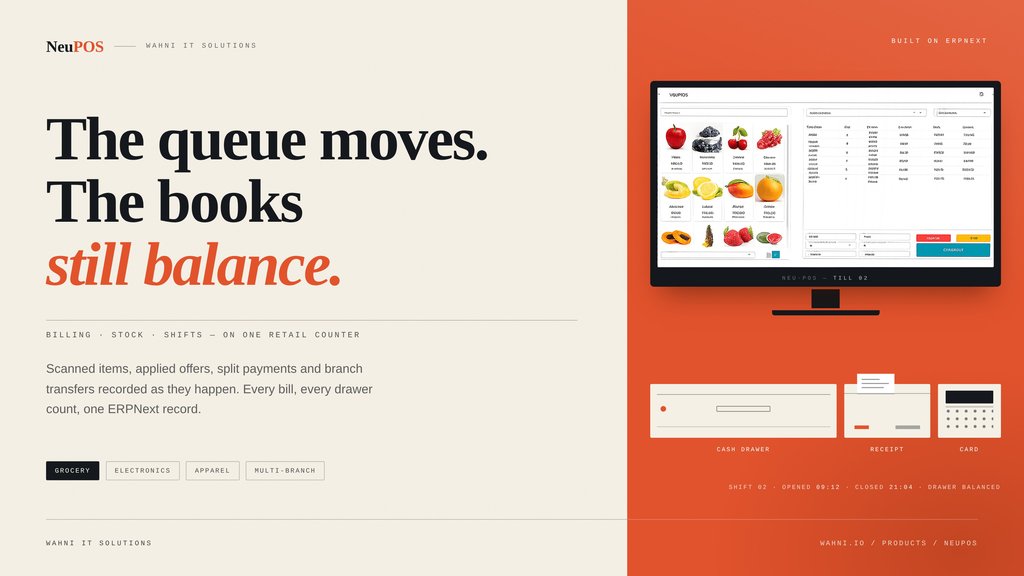
A checkout counter, a cash drawer and two branches holding the same stock generally live in three different places. Here is how Wahni's POS layer brings them into one ERPNext record.
A busy counter runs several decisions at once: finding the right item, applying an offer, accepting whichever payment the customer offers, and taking back a return — all without holding up the queue. Behind the counter, a manager wants a different set of answers: which cashier handled the sale, whether stock actually moved between branches, and whether the drawer balanced at close.
Start every shift with a clear cash balance
Cash reconciliation begins before the first bill. Cashiers count the opening drawer denomination by denomination, and the system records that amount against the shift.
Duplicate till openings are restricted, which keeps two people from recording the same shift twice. At closing, cashier-wise totals link back to the relevant sales invoices — so when a difference appears, there is a traceable record to review rather than a verbal account of what happened. Safeguards also stop a shift from being closed a second time.
Why it matters: the reconciliation conversation moves from “I think the drawer was short” to “here is the shift, the invoices and the variance.”
Find products quickly and keep scanning
Different stores look for products in different ways. NeuPOS searches by barcode, item name, item code, serial number and batch number, and cashiers can browse the item-group hierarchy or switch between grid and list views when the catalogue is large.
For busy grocery counters, rapid scanning runs through a queue. Cashiers keep scanning while pending lookups are processed in order. Every scan returns a success or error status, and a failed scan stays on screen with an audible alert until someone deals with it — so an unrecognised barcode does not get buried under the next twenty items.
Quantities and cart lines stay editable during billing, and tax is calculated from the business's own configured tax rules.
Handle weighed goods and open-price grocery entries
Loose goods need their own workflow. NeuPOS reads quantities from compatible weighing scales through supported browsers, taking several readings to settle on a consistent value. Where the browser cannot support that connection, staff type the weight in manually.
For grocery entries that do not deserve a full item master, an optional workflow lets cashiers enter a name and price on an on-screen keyboard. Stores can require a manager password before such a line is added, which keeps open-price selling supervised.
Between the two, a counter can handle produce, grains, nuts and anything else that arrives without a conventional barcode.
Apply offers with visible discount controls
A promotion should be easy for the cashier to apply and easy for management to audit afterwards. NeuPOS supports automatic multibuy offers — including eligible buy-three-get-one and bundle-pricing promotions — where they are configured and enabled.
Promotional discounts are recorded separately from manual discounts. That single distinction lets a manager see how much of a discount came from the offer and how much came from the cashier.
Salespeople can carry defined discount limits, and restricted actions — exceeding an allowed discount, removing a cart line — can prompt for a manager password. The approval setup can then be reviewed against each retailer's own control requirements.
Make payments and exchanges easier to manage
A customer may pay part cash, part card. NeuPOS accepts multiple payment modes against one invoice, plus additional payments when the amount due changes. Delivery charges can be added at checkout, and invoices use the letterhead and print format configured for the store.
With a compatible receipt printer connected, payment confirmation can also trigger the cash drawer to open.
If a customer steps away, the cashier holds the sale and recalls it later. For returns and exchanges, staff retrieve the original invoice, select the returned item and its serial number, and offset the return value against the replacement items in one flow.
Give customers a clear view of the bill
A customer-facing second display mirrors the cart as the cashier works — items, quantities, rates, discounts and the running total, all visible before payment.
The practical effect is a caught mistake: a wrong quantity or a misunderstood promotion gets corrected while the bill is still being built, not disputed after the queue has moved on.
Connect stock movement across branches
When an item is sitting at another branch, staff need more than a phone call. NeuPOS raises transfer requests from the POS interface, with on-screen and audible alerts for anything pending.
Staff can fulfil or stop a request and scan serial numbers during the transfer. In-transit tracking shows how far a recorded shipment has progressed, so the requesting branch can follow up instead of waiting.
For electronics and other serialised products, NeuPOS suggests serial numbers during a sale and supports serial selection on transfers and returns — which keeps a specific unit identifiable across all three transactions.
Support receiving staff and branch managers
New stock should not require the same details typed across several screens. Quick Item Setup gathers barcode, item code, name, UOM, cost, selling price and the stock line into one dialog.
Each POS Profile carries its own allowed warehouses, cash denominations and payment configuration, so branches follow their operating settings inside one shared implementation.
On the reporting side, the ERPNext Sales Register includes a POS Profile column and filter in this setup. Managers review sales by branch directly, without stitching together separate exports.
Keep customer and order information connected
Staff can create a customer at the counter or pull up an existing record, and a local customer-list cache cuts down repeated server lookups during a shift.
Sales orders can be created and later retrieved by scanning at the till. Unpaid documents stay trackable, and cancelled orders remain available for review — useful when a purchase starts as an order and is completed days later.
Choose the features that fit your store
No store has to switch on every extension. The workflows map roughly to the kind of retail floor you run:
Table 1: Retail workflows by store type
| Store type | Where NeuPOS adds the most value |
| Grocery | Scan queue, weighed goods, open-price entries, multibuy and bundle offers |
| Electronics | Serial suggestions at sale; serial selection on transfers and returns |
| Apparel | Exchange workflow against the original invoice |
| Multi-branch retail | Transfer requests, in-transit tracking, POS Profile-wise sales reporting |
Specialised requirements — warranty-document linkage, size-specific reporting, hallmarking and certification capture — are assessed separately during implementation rather than assumed as standard.
Want to see how NeuPOS fits your store? Explore NeuPOS and speak with Wahni about your checkout, stock and branch-management requirements.